Showing posts with label Oracle. Show all posts

Saturday, October 16, 2010

ORA 12154 error in windows 7


I've installed oracle server in my windows 7. The installation was successful and able to connect to server using PL sql developer client. I was getting the error 'ORA 12154 TNS could not resolve the connect identifier specified' 


The TNS entries are perfect and oracle home is set properly, but I couldn't login. I've googled it and couldn’t find a solution. Finally I found the solution in the forums of 'Allround automations' and it has worked for me. Thanks a lot to them.

There are two program files folder in windows 7. one is 'Program files' and other one is 'Program Files(x86)'.
While installing oracle I've selected 'Program Files(x86)' as destination. That' the reason for the error.
I've moved the ‘PLSQL Developer’ folder to the 'Program Files' folder and it has worked for me.

You can find the original post in the below link


Wednesday, March 10, 2010

NUMBER data type in oracle PL SQL

The NUMBER data type is used in PL sql stored programs.It's used to store fixed point or floating point numbers.

The Syntax is as follows:

NUMBER(precision,scale)

where precision is the total number of digits and scale is the number of digits to the right of decimal point.

The maximum precision of a number is 38 digits. If the precision is not mentioned it defaults to 38.

The scale ranges from -84 to 127.  The scale determines the rounding of decimal digits.


More information can be found in the following link:

http://download.oracle.com/docs/cd/B10500_01/appdev.920/a96624/03_types.htm

Wednesday, February 24, 2010

Display the plan of query in SQL*plus/sqlplus

To display the plan of ORACLE SQL query from SQL*plus/sqlplus, the following command can be used


SET AUTOTRACE ON

SQL> set autotrace on


SQL> select count(*) from employee;
COUNT(*)
----------
54405
Execution Plan
---------------------------------------------------------
0 SELECT STATEMENT Optimizer=ALL_ROWS (Cost=1683 Card=1)
1 0 SORT (AGGREGATE)
2 1 TABLE ACCESS (FULL) OF 'EMPLOYEE' (TABLE) (Cost=1683 Card=54
276)

Statistics
---------------------------------------------------------
1 recursive calls
0 db block gets
7682 consistent gets
7625 physical reads
0 redo size
534 bytes sent via SQL*Net to client
664 bytes received via SQL*Net from client
2 SQL*Net roundtrips to/from client
0 sorts (memory)
0 sorts (disk)
1 rows processed

The SET AUTOTRACE OFF will turn off the display of plan.

Display elpased time of a query in SQL*plus/sqlplus

In SQL*plus / sqlplus if the elapsed time of the query needs to be displayed the following command can be used.


SQL> set timing on


SQL> select count(*) from employee;


COUNT(*)
----------
155667

Elapsed: 00:00:00.21
SQL>set timing off


The set timing on will display the elapsed time and the set timing off won’t display the elapsed time.

Thursday, February 18, 2010

Read a csv file from unix shell script

The following script can be used to read the contents of a csv file.

The csv file contains the following data

100,TOM,Manager
200,Rachel,CEO

The script will read all the columns by considering the field separator as comma.I've specified the IFS as ','.

/************Start of the scipt **********************/
function readfile {


FILENAME="$1"

exec 8<$FILENAME

while read -u8 line

do

IFS=','

set $line

echo $2

done

}

readfile emp.csv
 
/************End  of the scipt **********************/
 
The function readfile will accept a input parameter file name and it read the second column in the file. the script should be customized according to the requirements


Tuesday, February 16, 2010

Connect to SQL*PLUS(sqlplus) using shell script

The following script can be used to connect SQL*plus from a shell script and execute SQL statements.

function Execsql


{

        STATEMENT="$*"

        echo $STATEMENT

         sqlplus -s "username/pwd@sid" > /dev/null << END

          spool result.out

         $STATEMENT;

         quit
END

}

Execsql "Select sysdate from dual"


The function Execsql will accept an argument which will be executed by connecting to the DB.

The result will be spooled in result.out file.

The label END should be properly alligned.


Sunday, December 20, 2009

Oracle user's session privileges

As an oracle user logged into database,sometimes we need to know about what are our limitations.


What we can do as per our privileges. Most of the time we work without knowing our capabilties.

The SESSION_PRIVS will show us the assigend privileges to that user.

 
SQL > SELECT * FROM SESSION_PRIVS;
 
PRIVILEGE
1 CREATE SESSION
2 ALTER SESSION

For that user those are the assigend privileges.

Saturday, November 28, 2009

Rename a column name in oracle

The following command can be used to rename a column name.


Lets say the EMPLOYEE table has the following structure

E_name varchar2(100)
E_no number

I need to change the E_no as Employee_no then

ALTER TABLE EMPLOYEE RENAME COLUMN E_no as Employee_no

I think there's no way to rename multiple columns in a single statement

Tuesday, October 27, 2009

Granting Debugging priviliges in oracle

In PL/SQL developer there is an option for testing the stored programs(Procedures/Functions/Packages).

In test mode the stored programs can be debugged step by step. To do that the user should have Debugging priviliges.

The command for granting debugging priviliges is

GRANT DEBUG ANY PROCEDURE , DEBUG CONNECT SESSION TO USER_NAME

Tuesday, October 13, 2009

Unlock an user account in oracle

In my development database there are many users and one of the user account got locked. I thought of contacting DBA to unlock the account. Usually we don't have the priviliges.

But to check my luck I've logged into Database as another user and executed the following command

ALTER USER USER_NAME ACCOUNT UNLOCK

As the priviliges were there the account got unlocked.

Thursday, October 8, 2009

Checking the existence of a user in oracle database

For checking the existence of a user in oracle database the following query can be used.

SELECT * FROM ALL_USERS

  
 OR

SELECT * FROM DBA_USERS

Thursday, September 10, 2009

How rownum works in oracle

ROWNUM in oracle. It’s a pseudo column. It always bewildered me how it fetches the values.

But it started haunting me. So I googled it and found the answer.

The ROWNUM will be initialized to one before execution of query.

Oracle always increment the rownum value after fetching every row.

So the select * from employees where rownum <=2 works whereas the >=2 or >2 or =2 won’t work.

The explanation I found from http://www.oracle.com/

Code snippet from http://www.oracle.com/:

select * from emp where ROWNUM <= 5 order by sal desc;

The above query will execute like
ROWNUM = 1

for x in ( select * from emp )
loop
exit when NOT(ROWNUM <= 5)
OUTPUT record to temp
ROWNUM = ROWNUM+1
end loop
SORT TEMP


It’s a pretty good explanation about rownum
http://www.oracle.com/technology/oramag/oracle/06-sep/o56asktom.html

Friday, July 31, 2009

Query to find locked objects in oracle

The following query will find the objects which have been locked by the user.
The query will return session id which can be used to alter the session which can release the lock.

SELECT SESS.OSUSER,
OBJ.OBJECT_NAME, SESS.SID,
sess.SERIAL#,SESS.USERNAME, SESS.MACHINE, SESS.TERMINAL, SESS.PROGRAM FROM V$LOCKED_OBJECT LO,V$SESSION SESS,DBA_OBJECTS OBJ WHERE LO.SESSION_ID=SESS.SID AND LO.OBJECT_ID=OBJ.OBJECT_ID

Then the session can be killed by the following alter command

ALTER SYSTEM KILL SESSION ‘sid, serial#’

Sid and serial# should be taken from the above query to find the locked objects

Thursday, July 30, 2009

Materialized view log

Before creating materialized view in fast refresh mode ,it is necessary to create materialized view log for the table which the view needs to be created.

The syntax for creating materialized view log is

CREATE MATERIALIZED VIEW LOG on TABLE_NAME

Once the log is created then we can create materialized view with fast refresh option.

For more idea about it ,please cisit the following site:

http://stanford.edu/dept/itss/docs/oracle/10g/server.101/b10759/statements_6003.htm

Saturday, July 25, 2009

Refrshing a materialized view in oracle

The DBMS_SNAPSHOT package is providing us a procedure to refresh the materialized view in oracle.

BEGIN
DBMS_SNAPSHOT.REFRESH('VIEW_NAME','c');
END;

The first parameter is the view's name and the second parameter is the refresh option.
c - complete refresh
f - fast refresh

If you exexcute the above block the view will be refreshed.

Wednesday, July 22, 2009

Load images using SQL loader:

The following code for ctl(control) file will load images into an oracle table using sqlloader.
load data
infile image.csv
into table image1
append
fields terminated by ','
(
imageid,
filename,
image_data lobfile(filename) terminated by eof
)

The infile will mention the source data what’s the name of the file to be loaded and it should look like this :

1,image010.jpg
2,image020.jpg

The following command should be used to load the images:

Sqldr username/password@DB control=image.ctl

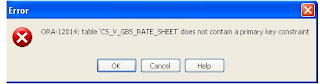
ORA-12014 error while creating materialized view

When materialized view is created with REFRESH COMPLETE option and the table for which the view has to be created doesn’t contain any primary keys then an error will be thrown while creating the view.

The error would be ‘ORA-12014 ‘

To overcome this error ‘WITH ROWID’ option should be used along with the refresh option.

Then you can create the materialized view.

CREATE MATERIALIZED VIEW VIEW_NAME
REFRESH COMPLETE ON DEMAND
WITH ROWIDASSELECT * FROM TABLE_NAME

Sunday, March 8, 2009

AWR report creation

Automatic workload Repository(AWR) help us in analyzing the SQL queries. We've our system in unix and this AWR report help us in analyzing the queries which have been executed in the system.

The following are the steps to create an awr report:

1) Login to the unix system using username and password.

2) sqlplus username/password@dbname (ex : scott/tiger@SYS)

3) Then execute the following command :

    exec dbms_workload_repository.create_snapshot();

   The above command will create a snapshot at time X.

4) After the monitoring time again execute the above command to create the snapshot at time Y.Now we've to two snapshot to create the report.

5) Execute the following command to create the report:

  @?rdbms/admin/awrrpt.sql

6) On excecuting the above command a prompt screen will come to enter the number of days to show the snapshot id. Type it as 1 On pressing enter the snapshot ids that have been taken today will be displayed on the screen.

7)Then type of report to be generated has to be entered .Type it as html and press enter.

8) Then we've to enter the snapshot id. Enter the snapshot id as displayed on the screen.

9)Then enter the output file name. The output will be created as ouputfile.lst. The The output format would be in "lst" format. ftp the file to desktop and change the extension to html.Then the report can be view in internet explorer.


Tuesday, February 19, 2008

Query to create sequence of the following pattern 1,2 ,1,2,1,2… :

The following query will create sequence that will generate 1 and 2 continuously.


            CREATE SEQUENCE seq1 START WITH 1 INCREMENT BY 1 MAXVALUE 2 CYCLE NOCACHE.

 
The NOCACHE is the key to this query and it is mandatory. If the nocache is not mentioned it will throw an error.
 
 The default value for cache is 20.


  If the cache value is to mention in the statement, then it should satisfy the following two conditions:


1)      The cache value should be greater than 1.

2)      The cache value should be less than (MAXVALUE – MINVALUE).


Powered By Blogger